

No products in the cart.
Tidal Cover Art Size 2026: Everything You Need to Know
17
May
May
What Is the Tidal Cover Art Size?
Tidal is one of the premium streaming platforms favored by audiophiles and artists who prioritize sound quality and high-resolution content. If you’re releasing music on Tidal, your cover art needs to meet specific technical requirements to ensure it displays correctly across all of Tidal’s apps and devices.
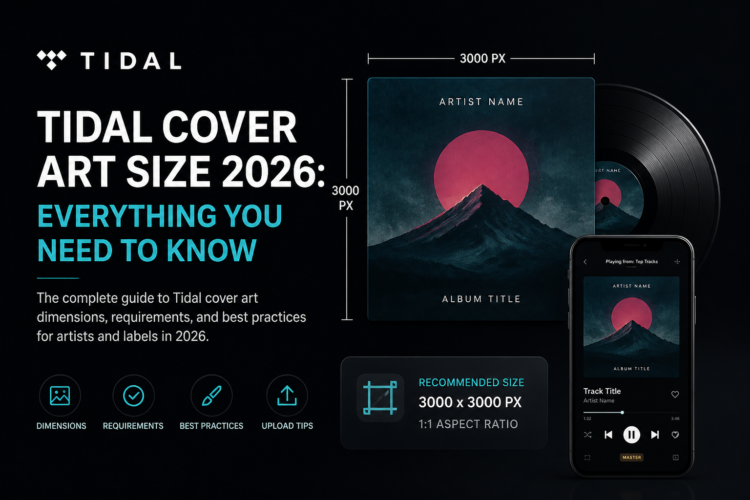
The recommended Tidal cover art size is 3000 x 3000 pixels, with a minimum of 1600 x 1600 pixels accepted through most distributors. The artwork must be a 1:1 square ratio, saved in JPEG or PNG format, in RGB color mode.
Tidal Cover Art Requirements (2026)
Here is the complete list of Tidal cover art specifications:
- Minimum Dimensions: 1600 x 1600 pixels
- Recommended Dimensions: 3000 x 3000 pixels
- Aspect Ratio: 1:1 (perfect square)
- File Format: JPEG, PNG, or GIF
- Color Mode: RGB
- Maximum File Size: 10 MB
- No blurriness, pixelation, or visual distortion
- No third-party streaming platform logos in the artwork
- No URLs or social media handles visible in the image
Tidal requires artwork to be submitted through an approved music distributor (such as DistroKid, TuneCore, or CD Baby), not directly. This means your distributor’s technical requirements also apply. According to Tidal’s support documentation, non-compliant artwork will be rejected at the distributor level before reaching Tidal’s catalog.
Why Tidal Has Higher Standards for Cover Art
Tidal differentiates itself from other streaming platforms with its focus on hi-fi audio and high-quality visuals. Tidal HiFi and HiFi Plus subscribers expect a premium listening experience — and that extends to how album artwork is displayed. Tidal renders artwork at larger sizes than many other platforms, making low-resolution or blurry artwork far more noticeable.
Designing your cover art at 3000 x 3000 pixels or higher ensures that even Tidal’s demanding display standards are met without any quality loss.
How Tidal Displays Cover Art
Tidal displays your cover art in several contexts across its apps:
- Now Playing screen: Large full-width display, especially prominent on tablet and desktop
- Browse and search results: Thumbnail size, typically 200–400px wide
- Artist page: Featured artwork displayed prominently at larger sizes
- Playlist and album listings: Grid thumbnails alongside other releases
Because your cover art is displayed at both very small and very large sizes, it must be designed to work well at all scales — sharp details at full size and recognizable silhouettes at thumbnail size.
Common Tidal Cover Art Mistakes
These are the most frequent errors artists make when preparing artwork for Tidal releases:
- Submitting at 1600 x 1600 px — this is the minimum, not the optimal. At Tidal’s display sizes, 1600 px can appear soft
- Using CMYK color mode — always convert to RGB before exporting for digital use
- Embedding URLs or social media handles in the artwork — these violate platform policies
- Using watermarks or sample text — all text should be part of the final design, not overlaid
- Saving JPEG at low quality — compression artifacts are visible at Tidal’s larger display sizes. Use 90% quality or higher
Tidal Cover Art Size vs. Other Platforms
Tidal’s requirements sit in the mid-to-high range compared to other streaming platforms. Here’s a quick comparison:
- Apple Music: 4000 x 4000 px recommended
- Spotify: 3000 x 3000 px recommended
- Tidal: 3000 x 3000 px recommended (1600 minimum)
- Amazon Music: 1600 x 1600 px minimum
- SoundCloud: 800 x 800 px minimum (3000 recommended)
- DistroKid: 3000 x 3000 px minimum
The smart strategy is to design at 4000 x 4000 pixels — Apple Music’s standard — and this single file will satisfy Tidal’s requirements along with every other major platform. For a full comparison of all platform specs, see our complete Album Cover Size Guide.
How to Submit Cover Art to Tidal
Since Tidal doesn’t accept direct artist uploads (outside of Tidal for Artists profile tools), you’ll need to go through a music distributor:
- Choose a distributor: DistroKid, TuneCore, CD Baby, Amuse, or similar
- Create your release and upload your audio files
- Upload your cover art in the release details — ensure it meets the distributor’s requirements (usually 3000 x 3000 px minimum)
- Select Tidal as one of your distribution platforms
- Submit and wait for approval (typically 1–5 business days)
Getting Professional Cover Art for Tidal
High-resolution, professionally designed cover art is essential for Tidal — a platform where audio and visual quality are core to the brand experience. Whether you prefer bold typography, atmospheric illustrations, or genre-specific visual styles, your cover art represents your music before a single note plays.
Every design in the Buy Cover Arts shop is delivered at studio-quality resolution, fully compatible with Tidal’s requirements and all major streaming platforms. Browse by genre to find the perfect visual identity for your next release.
For more on choosing the right visual style for your music, visit our Best Premade Album Cover Art by Genre guide — the most comprehensive visual reference for independent artists in 2026.
Frequently Asked Questions
What is the minimum cover art size for Tidal?
The minimum Tidal cover art size accepted by most distributors is 1600 x 1600 pixels. However, the recommended size is 3000 x 3000 pixels for optimal display quality across all Tidal devices.
Does Tidal accept PNG cover art?
Yes. Tidal accepts JPEG, PNG, and GIF file formats for cover art. JPEG is the most commonly used due to its smaller file size, but PNG is also accepted and may preserve sharp edges and text better than JPEG.
Can I upload cover art directly to Tidal?
No. Unlike some platforms, Tidal requires artists to submit music and artwork through an approved music distributor. Your distributor will deliver your artwork and release information to Tidal on your behalf.
Will Tidal reject my release if the cover art is too small?
If your artwork is below your distributor’s minimum (usually 3000 x 3000 px), the distributor will reject your submission before it reaches Tidal. Always check your distributor’s specific requirements, as they may be stricter than Tidal’s own minimum.